Snipou, a free screenshot and whiteboard app for Windows
Snipou, a free screenshot and whiteboard app for Windows
I share bits of my screen all the time: with colleagues, online, in tutorials, to show how something is done. I wanted one light, portable tool for the screenshot and for the whiteboard, used the same way. The ones I tried were heavy, old, rough or paid. Sometimes all four. So I built Snipou, and it’s free.
I vibe coded it with two AI developers: Claude Code plans and builds, Codex reviews.
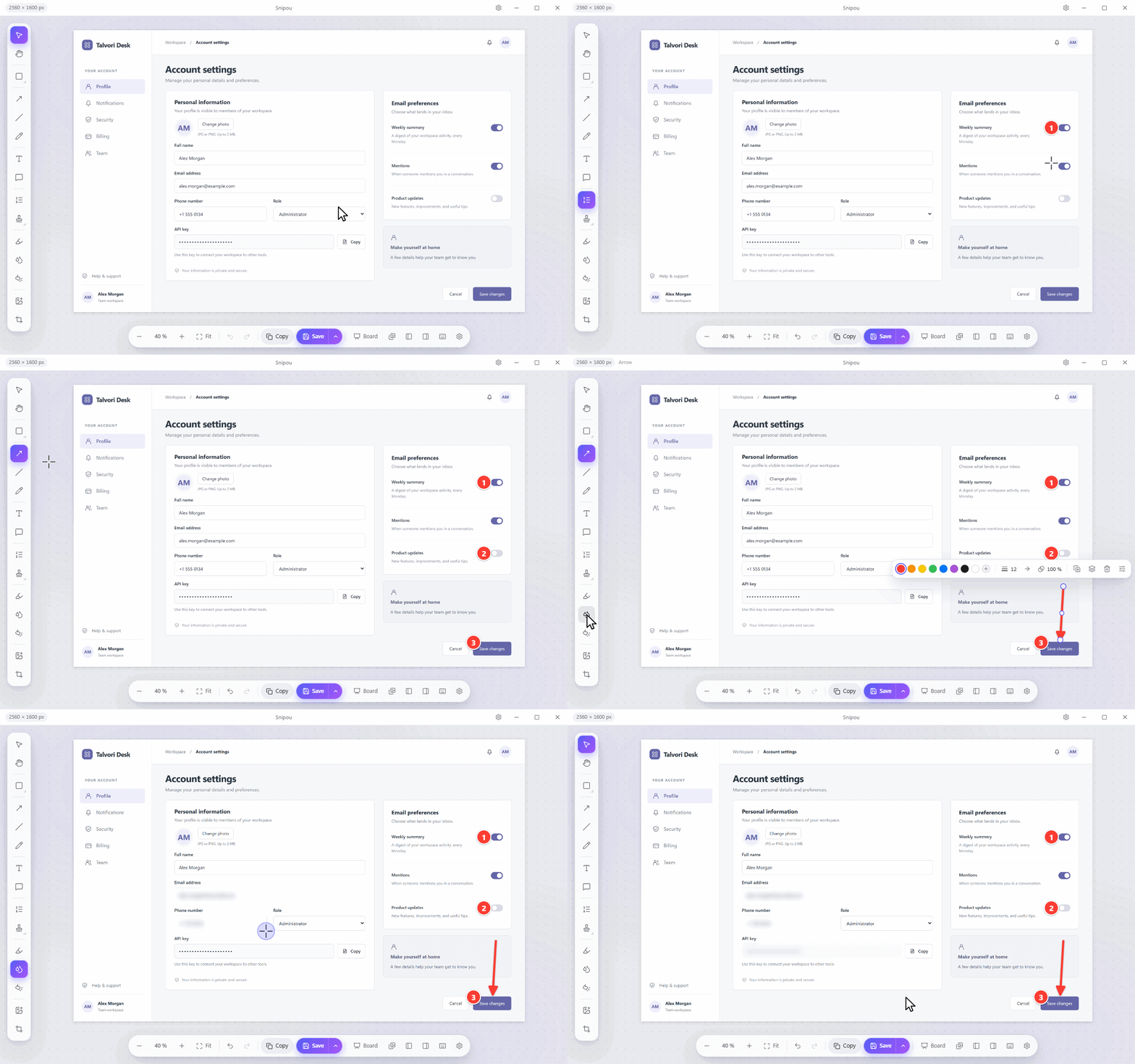
What it does
- Capture precisely. One hotkey freezes the screen. Hover a window, a menu or just the table inside it, and click. Or drag a region, with a magnifier for the last pixel.
- Explain it. Numbered steps, arrows, callouts, highlighter. Blur the email or the client name before you send it.
- Paste it anywhere. The capture is already in your clipboard, as a picture and as a file.
- Tell the whole story on a board. Put screenshots, shapes, arrows and sticky notes on one page. Sixteen themes, from clean cards to chalkboard.
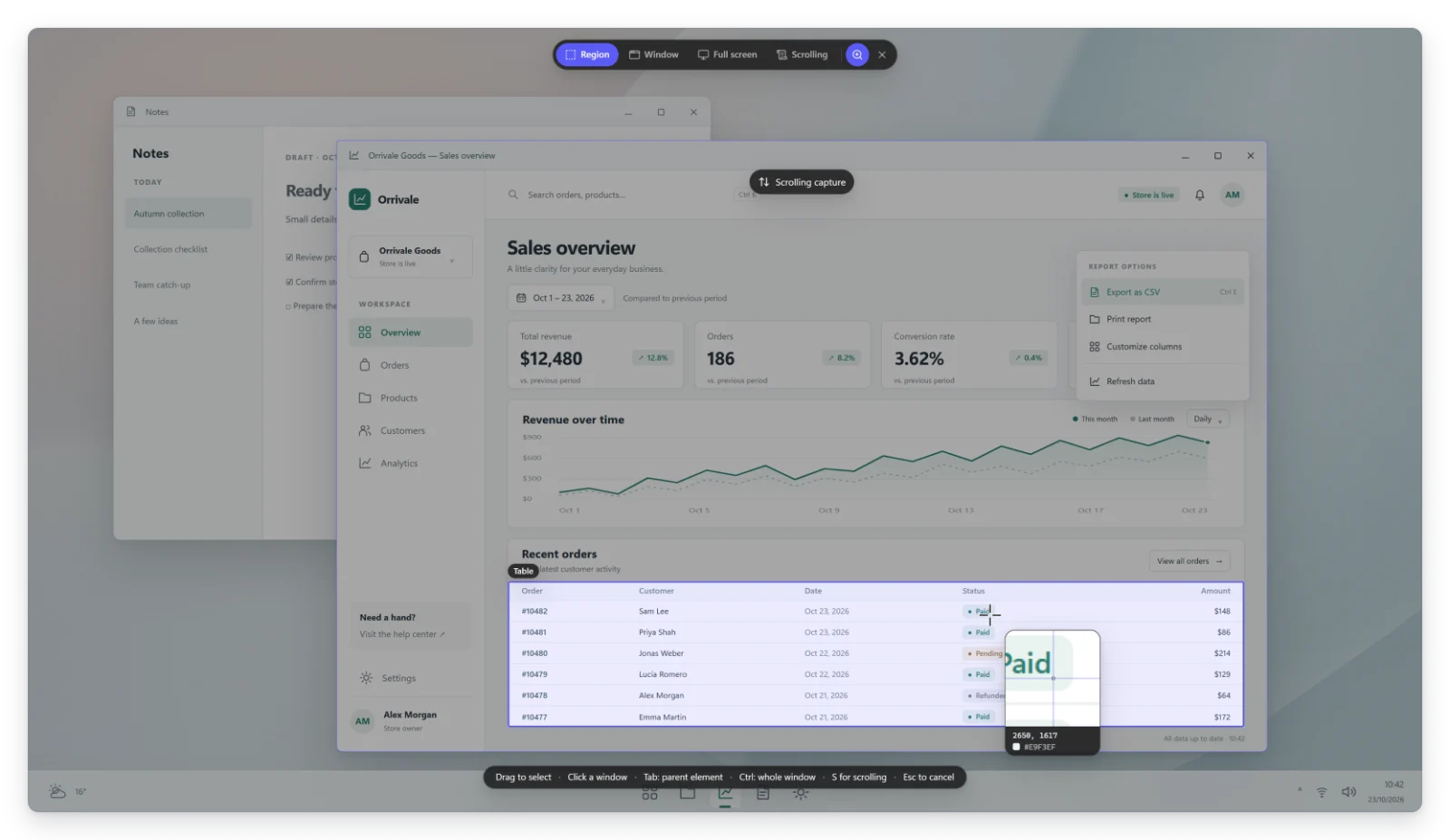
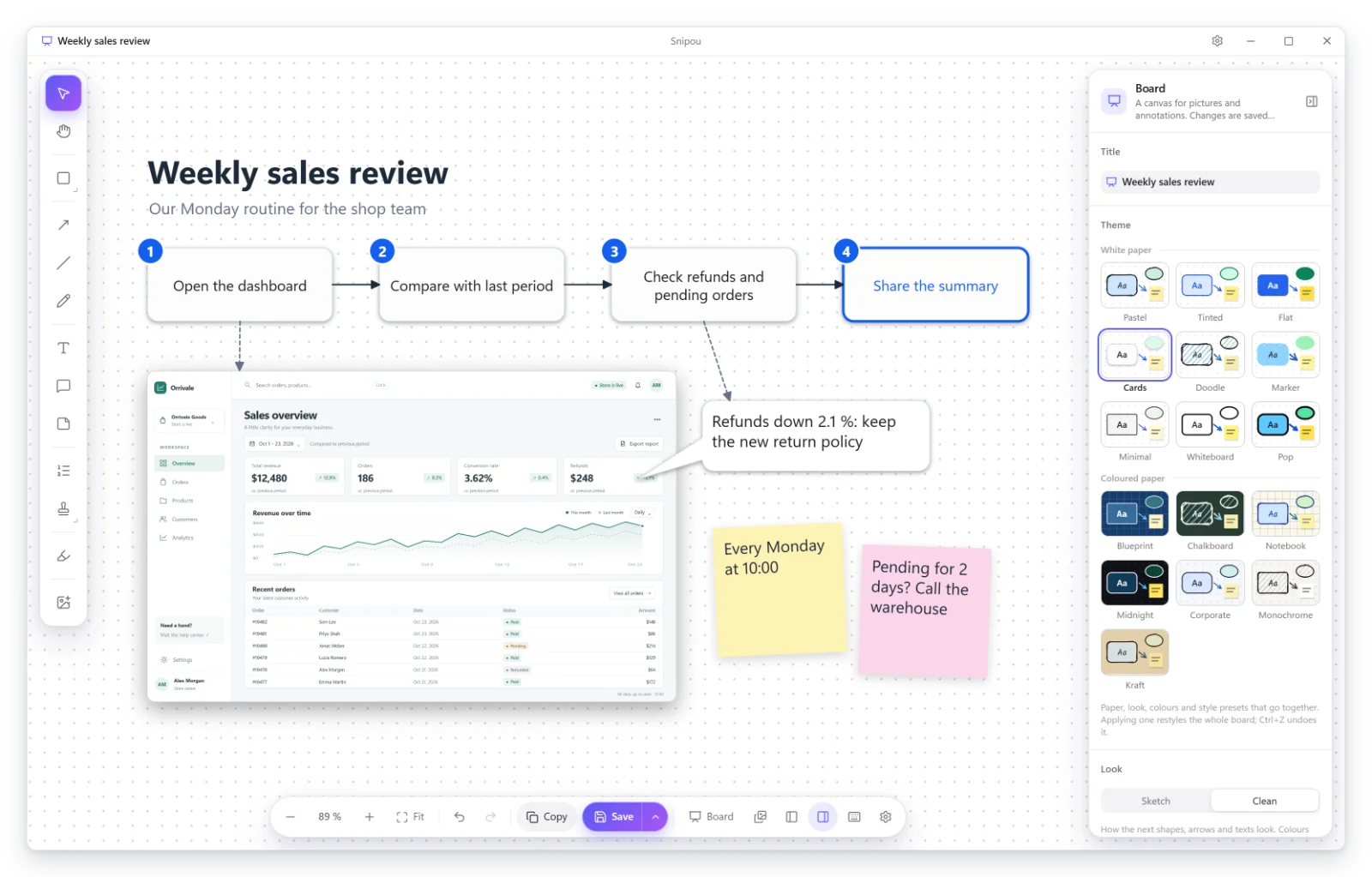
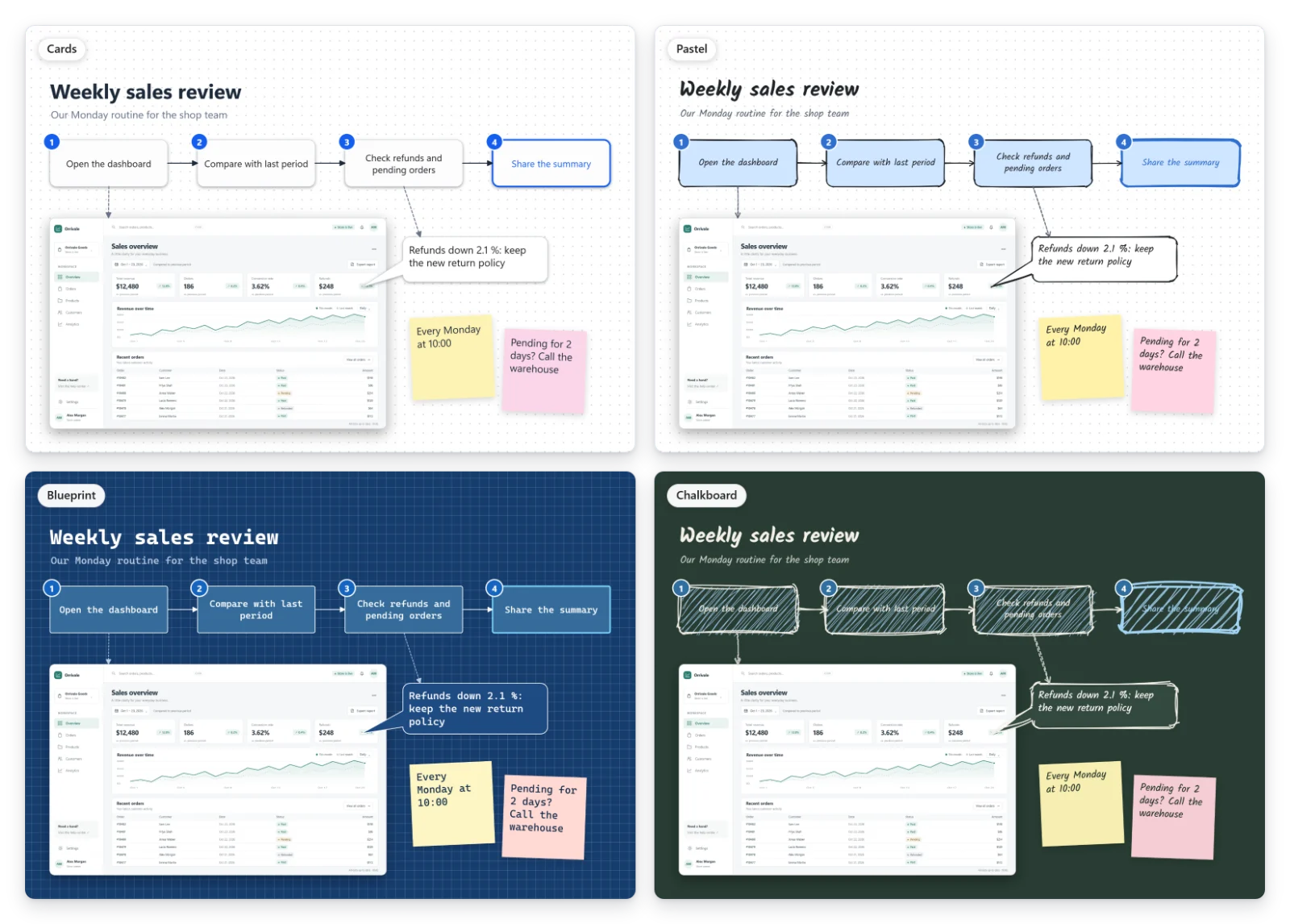
Try it
Download the installer (no admin rights needed) or the portable version (unzip and run). Windows 10 and 11. Then press
Ctrl+Shift+C.
Snipou isn’t code-signed yet. If Windows says it protected your PC, click More info, then Run anyway.
No account, no telemetry, nothing sent anywhere. Every version is on GitHub.
It covers what I need today. Next on my list: zooming and drawing live on the screen during a presentation. If Snipou helps you too, that’s why it’s free. Tell me what’s missing.