Fabric Source Atlas: which tables feed your semantic models?
Fabric Source Atlas: which tables feed your semantic models?
“If we change this view, which reports break?” Three PowerShell scripts now answer that for a whole Fabric tenant.
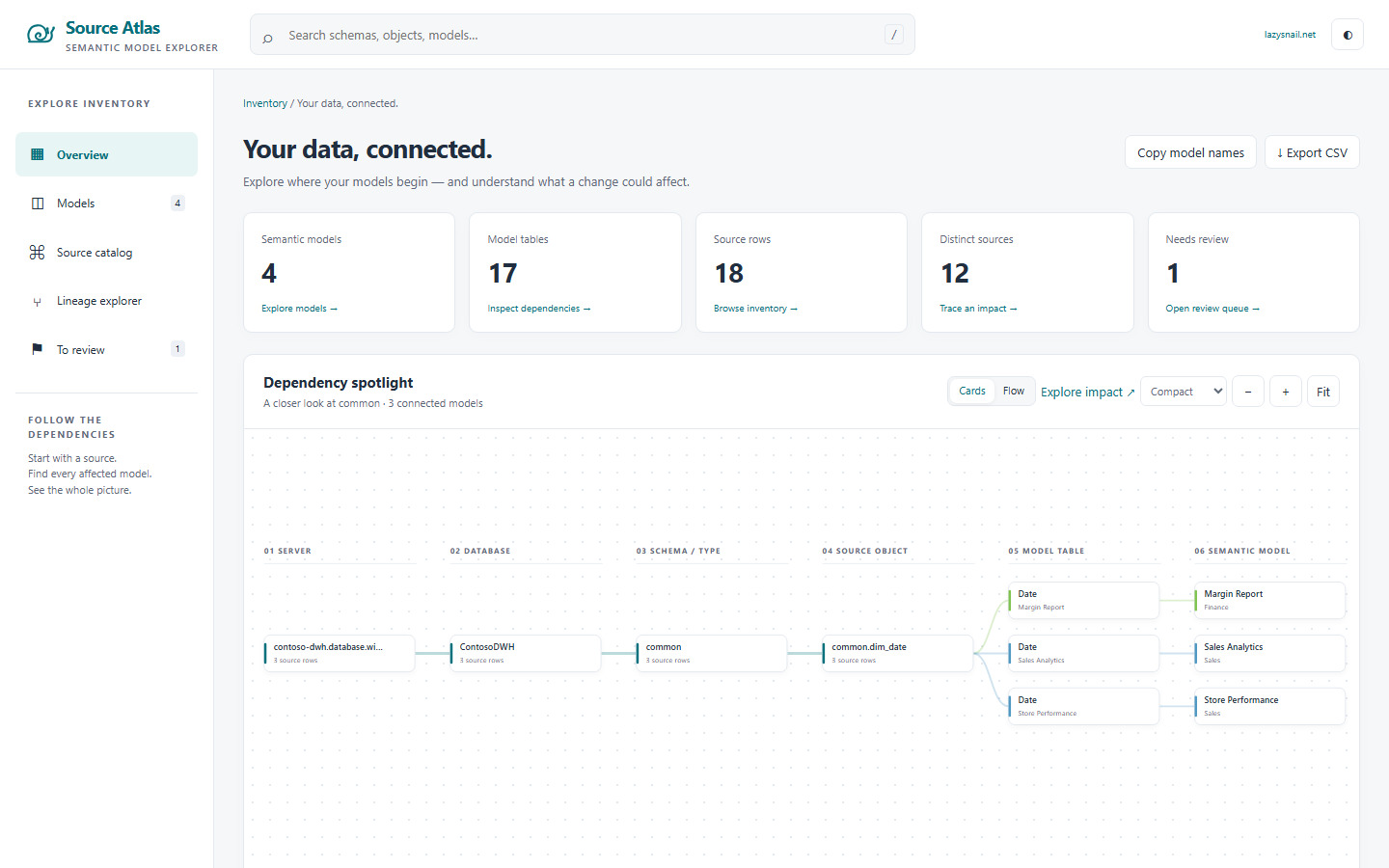
Why I built it
Last year I documented model sources with a DAX query and an AI prompt. It works, one model at a time. Then I had to do it for hundreds of models, and every DBA wanted to know who reads their schema before touching it. So I vibe coded a proper tool with Claude Code.
How it works
Two steps. One command runs both: Extract-And-Parse-SemanticModels.ps1.
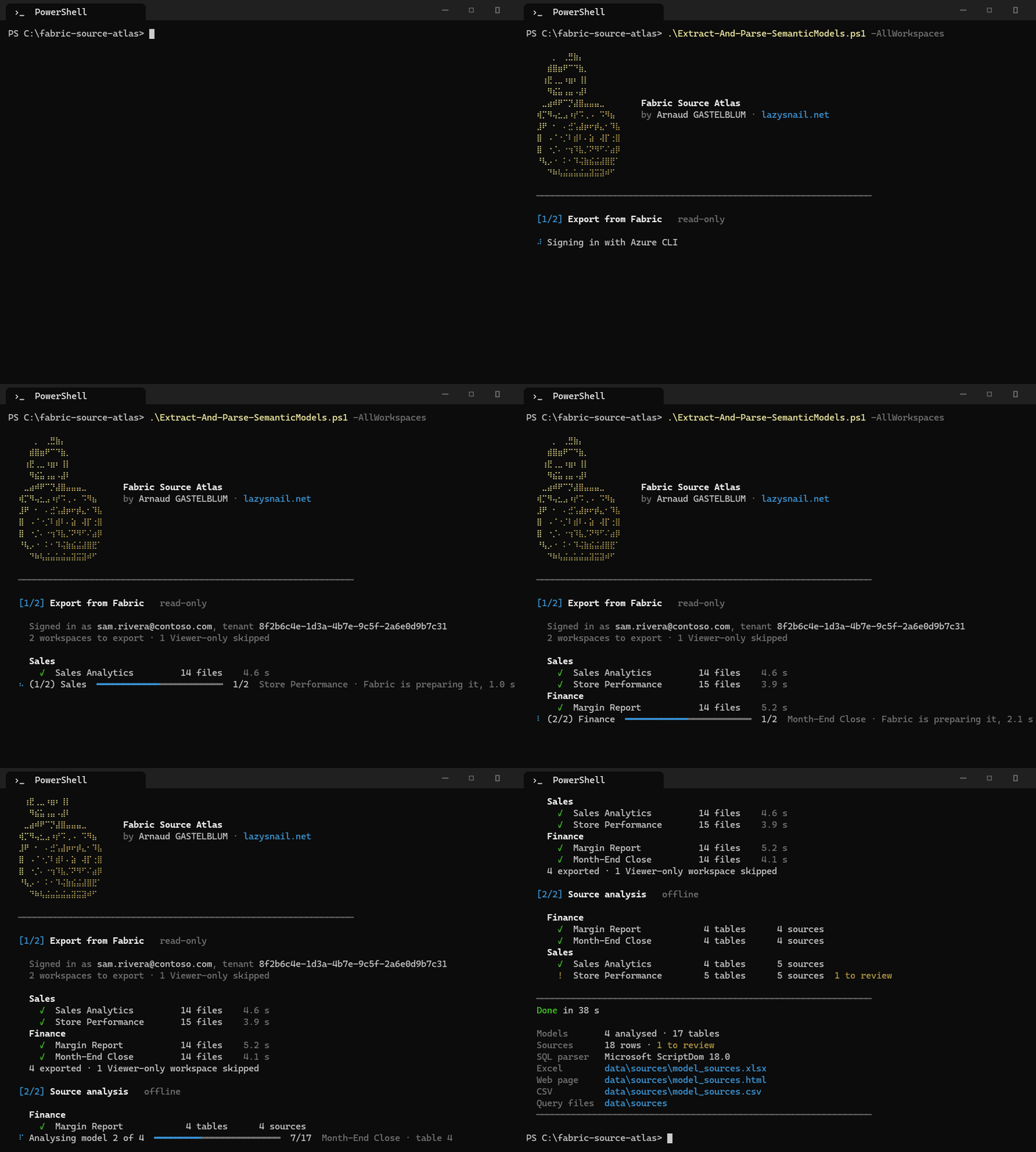
The status line always tells you where it is: which workspace, which model, how long Fabric takes to answer.
1. Export (Extract-SemanticModels.ps1). It asks Fabric for the definition of every semantic model of your workspaces, in TMDL, and drops it on your disk, one folder per model:
data\export\
├─ Sales\
│  ├─ Sales Analytics.SemanticModel\
│  │  └─ definition\
│  │     ├─ model.tmdl
│  │     ├─ expressions.tmdl        parameters, shared queries
│  │     └─ tables\
│  │        ├─ Customer.tmdl        columns, measures, Power Query
│  │        └─ Sales.tmdl
│  └─ Store Performance.SemanticModel\
├─ Finance\
└─ _export_report.csv               what was exported, skipped or failed
2. Analysis (Parse-SemanticModels.ps1, offline). It reads that structure, follows every Power Query step and every native SQL query, and turns it into something you can actually read:
data\sources\
├─ model_sources.xlsx               the inventory
├─ model_sources.html               the web page
├─ model_sources.csv
└─ Sales\
   └─ Sales Analytics\
      ├─ Sales Analytics.sql        all the SQL of the model in one file
      ├─ power-query\Sales.pq       the M of each table
      └─ sql\Sales.sql              its native SQL, parameters resolved
What you get
An Excel workbook with three sheets:
| Sheet | One row per | Answers |
|---|---|---|
| Sources | model, table, source object | what does each table read? server, database, schema.object, type (table, view, stored procedure, file, URL, other model), with a link to its query |
| Models | semantic model | which servers, databases and schemas does this model use? |
| Schemas | model, server, database, schema | which models read this schema? |
A web page you open with a double-click, no server, no internet: search a schema or a table, see every model that reads it, follow the lineage from the server down to the model, and read the query of any table. I almost forgot to mention it, and it is my favourite part.
Rows in orange when the tool is not sure (a table name built from a variable, an unknown connector). It flags, it never guesses.
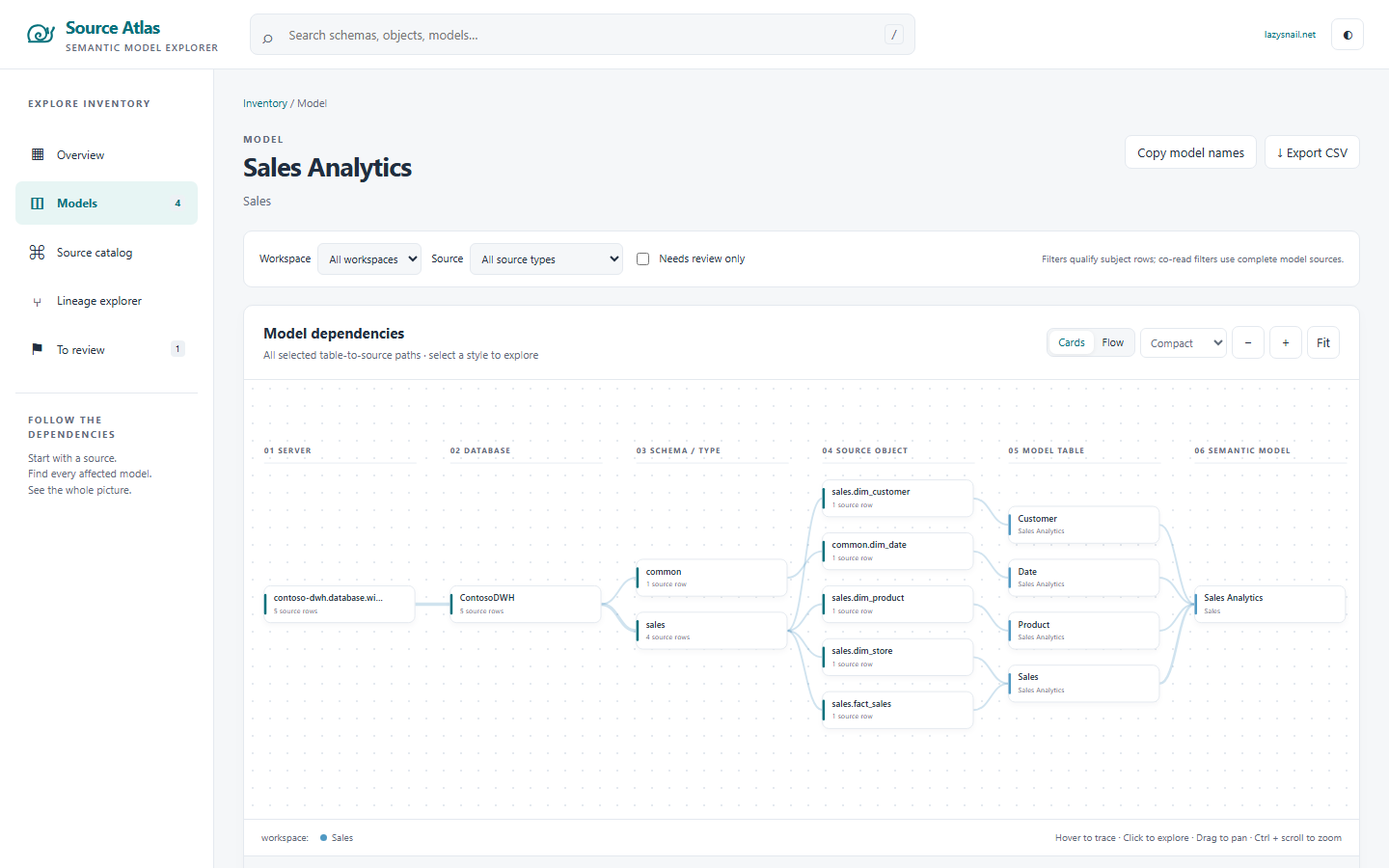
Safe on production: the export can only list workspaces and models and ask for a model definition. Everything else is refused before it leaves your machine. No data, no refresh, no write.
Try it
You need Windows, PowerShell 7, the Azure CLI (az login) and the Contributor role on the workspaces.
.\Extract-And-Parse-SemanticModels.ps1 -Workspace 'Finance'
Not sure which options to use? Add /? and every script shows its examples, each with what it does:
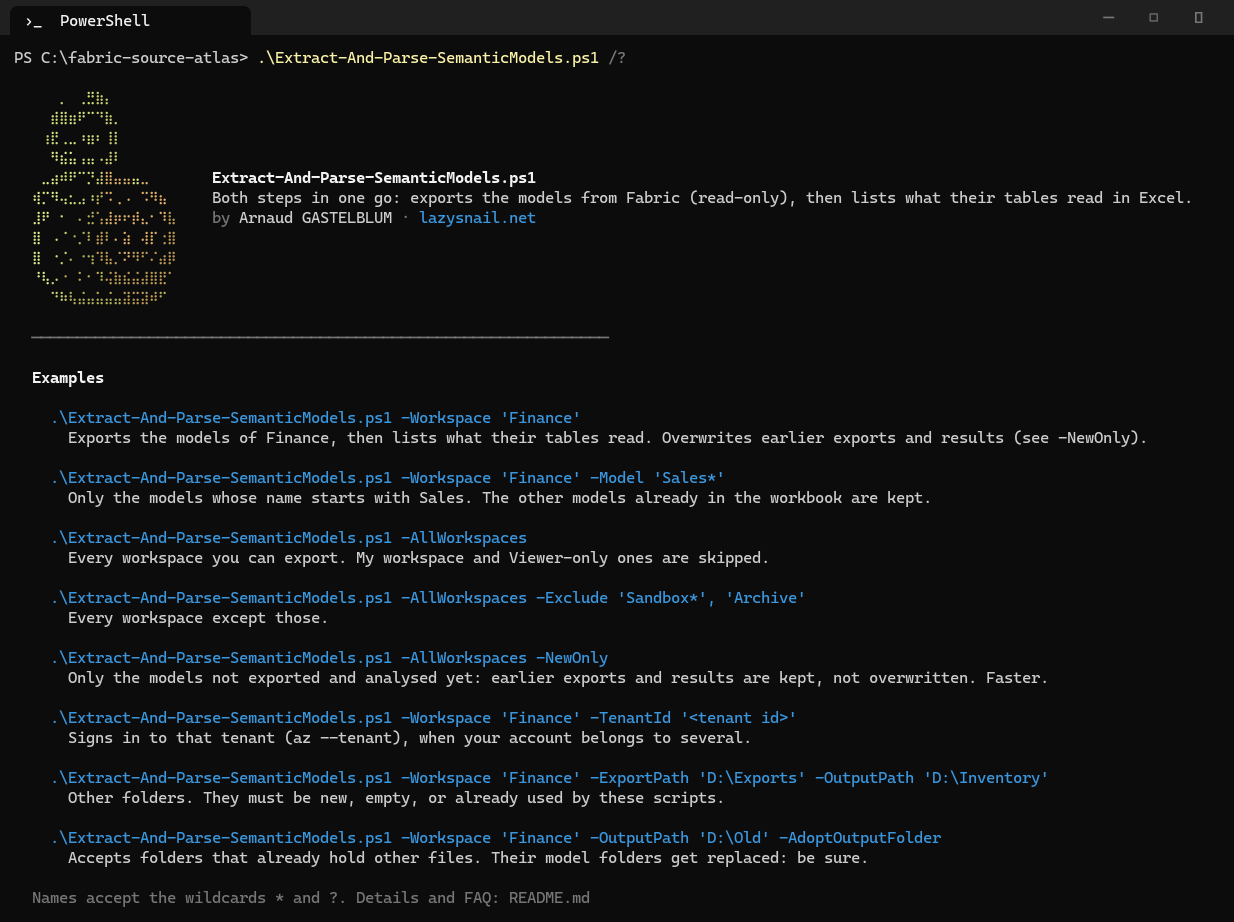
Get it on GitHub, free and open source (MIT). The README has every option and a FAQ.